TiviMate IPTV Player for Firestick in Ireland: 2026 Setup Guide
The complete guide to TiviMate IPTV Player on Amazon Firestick and Android TV in Ireland. Learn how to configure multi-view sports, customize EPG, and record.
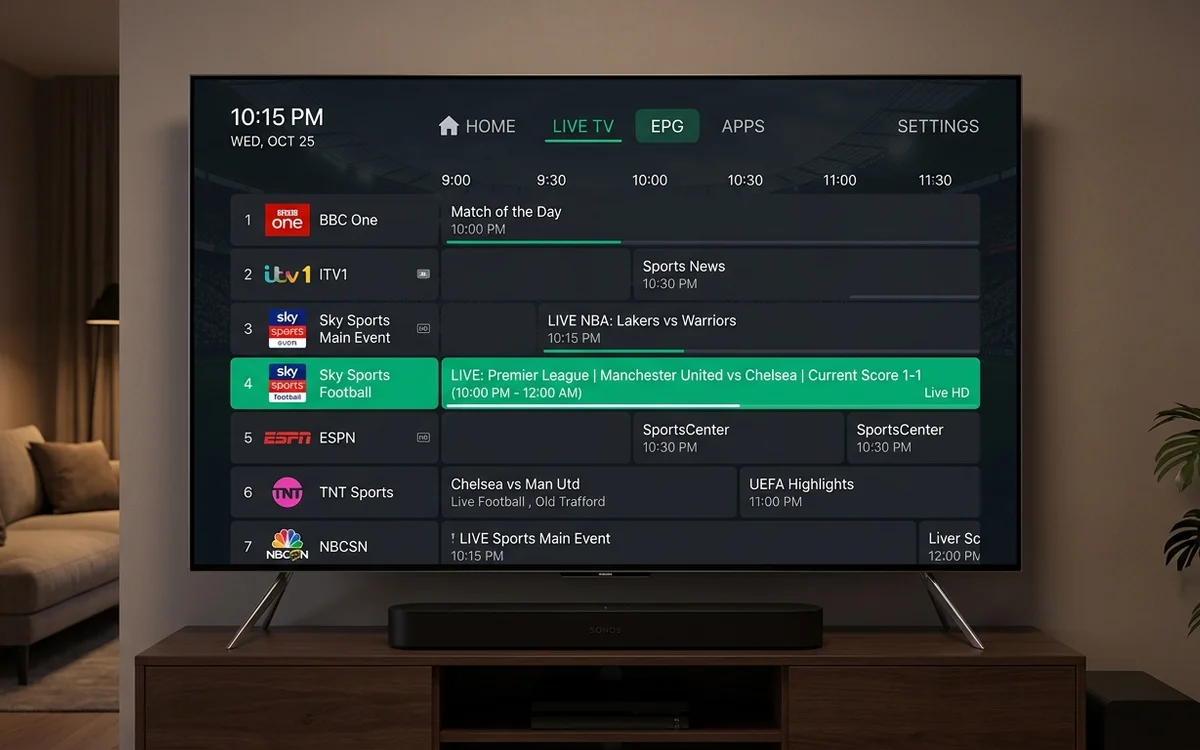
TiviMate is widely considered the most advanced IPTV player for Amazon Firestick and Android TV in Ireland. It delivers a fluid satellite-style TV guide, multi-view screen splitting for simultaneous sports matches, automatic channel category sorting, and local recording capabilities.
- TiviMate provides the fastest, most responsive electronic TV guide on Android.
- Multi-view feature allows watching up to 4 live sports matches on one screen.
- Requires Amazon Firestick, Google TV, or certified Android TV hardware.
- Synchronizes effortlessly with CelticStream Xtream Codes API.
Among Irish home theater enthusiasts and dedicated sports viewers, TiviMate is widely recognized as the gold standard of IPTV media players. Designed specifically for television screens and remote controls, TiviMate delivers an interface virtually indistinguishable from high-end pay-TV boxes.
This guide explores the features that make TiviMate a must-have application on Amazon Fire TV Sticks and Android streaming devices across Ireland.
Why TiviMate Dominates the Irish Market
Unlike generic media players ported from touchscreens, TiviMate was engineered from the ground up for televisions:
- Ultra-Fast Channel Zapping: Channels change in under 1 second without screen blackouts.
- Multi-View Quad Screen: Ideal for busy matchdays. You can watch the Premier League 3pm kickoff, the All-Ireland Hurling semi-final on RTÉ2, and Formula 1 qualifying simultaneously on a split screen.
- Picture-in-Picture (PiP): Keep an eye on live sports scores in a small corner window while browsing movies or checking the TV guide.
- Local Recording Support: Connect an external USB drive to your Firestick or Android TV to record live matches or schedule recordings directly from the EPG.
| Player Feature | TiviMate | IPTV Smarters Pro | Smart IPTV |
|---|---|---|---|
| Interface Polish | Exceptional (Premium set-top look) | Clean standard layout | Basic list view |
| Multi-Screen Support | Up to 9 screens simultaneously | 2 to 4 screens | None |
| EPG Performance | Instant background caching | Good | Moderate |
| Platform Availability | Firestick, Android TV, Google TV | Firestick, Android, iOS, Smart TV | Samsung & LG TVs only |
How to Install TiviMate on an Amazon Firestick
- Launch the Downloader application on your Firestick.
- Enter the official TiviMate short code or URL.
- Click Go to download the APK and tap Install.
- Launch TiviMate and click Add Playlist.
- Choose Xtream Codes and input your CelticStream credentials sent to your WhatsApp.
Within seconds, your television will display a full 7-day electronic programme guide synchronized to Irish Standard Time with live preview windows and complete sports categories.
Frequently Asked Questions
Is TiviMate available on Samsung or LG Smart TVs?
No. TiviMate is developed exclusively for Android-based operating systems, including Amazon Fire OS, Google TV, and Android TV. It cannot be installed natively on Samsung Tizen or LG webOS.
What is the difference between TiviMate Free and Premium?
TiviMate Free allows single-playlist playback. TiviMate Premium unlocks multi-screen quad-viewing, multiple playlist support, customizable EPG sources, manual channel ordering, and scheduled recording.
How do I download TiviMate on my Amazon Firestick in Ireland?
Open Downloader on your Firestick, input the official TiviMate direct code, download the APK, and install. Enter your CelticStream Xtream Codes details to load channels.
Verified Irish Sources & Statutory References
- TiviMate Community Support and Feature Documentation (Verified: 2026-08-10)
- Android TV App Architecture and Media Framework (Verified: 2026-07-12)